Is this Model 3 (2024+) Standard & Premium wrap free to download?
Yes. This Model 3 (2024+) Standard & Premium wrap is completely free to download as a PNG, with no account or payment required.
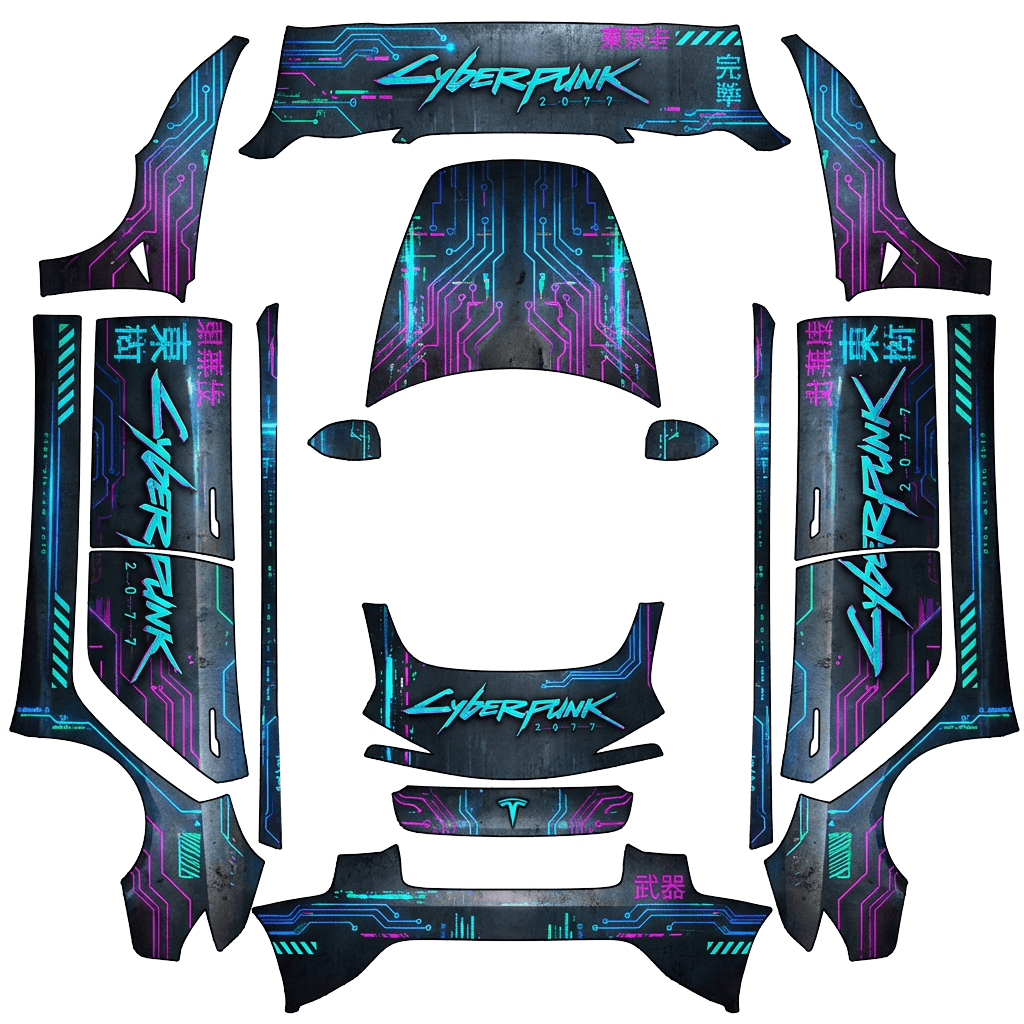
“make a cyberpunk 2077 desgin”
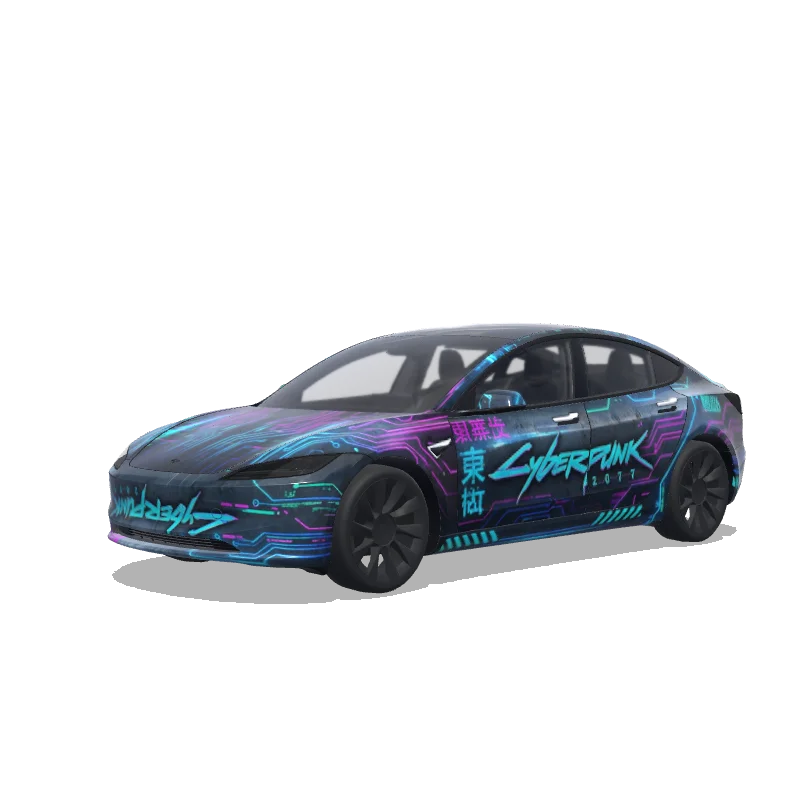
A Cyberpunk 2077 inspired Model 3 with a purple-black base, cyan glitch streaks and the game's logo with Japanese-style signage across the doors. The dark body and neon marks make it look at home in night scenes. Fine lines fill much of the side, so it has a dense, futuristic texture rather than one large central graphic.
Fan-made design. Not affiliated with or endorsed by the rights holders of any names or logos shown.
 Designed byIbraheem Abdulazeez
This is the downloadable flat wrap PNG prepared for Tesla Paint Shop. The car render above shows how it looks once applied; this template is what you copy to a USB stick or load into the editor.
The design covers the full body, so every panel of your Model 3 (2024+) Standard & Premium is mapped. Open the image to inspect the artwork and panel placement at full size.
Cyberpunk 2077 Night City Tesla Model 3 (2024+) Standard & Premium wrap PNG is a custom wrap design for the Tesla Model 3 (2024+) Standard & Premium, ready to upload with the Tesla App or apply through Tesla Toybox Paint Shop with USB. It is completely free to download as a 1024×1024 PNG in the exact format Tesla Paint Shop expects — no account required. So far it has earned 274 downloads and 6 likes from the community. Download it for your Model 3 (2024+) Standard & Premium, open it in the free wrap editor to customize colors and add text, or use it as inspiration for your own Tesla wrap.
Full Paint Shop guide: App upload, USB, file size and orientation
Yes. This Model 3 (2024+) Standard & Premium wrap is completely free to download as a PNG, with no account or payment required.
It downloads as a 1024×1024 pixel PNG no larger than 1 MB. Tesla accepts PNGs from 512×512 through 1024×1024 pixels, with the template size recommended.
Download the PNG, then use Tesla App v4.59.0 or later at Creations → Wrap → Upload. As a USB fallback, put it in a root-level "Wraps" folder, connect the drive to your Model 3 (2024+) Standard & Premium, and open Toybox → Paint Shop → Wraps.
Yes. Open it in the free Model 3 (2024+) Standard & Premium wrap editor to change colors, add text or images, and export your own PNG.