Is this Model 3 wrap free to download?
Yes. This Model 3 wrap is completely free to download as a PNG, with no account or payment required.
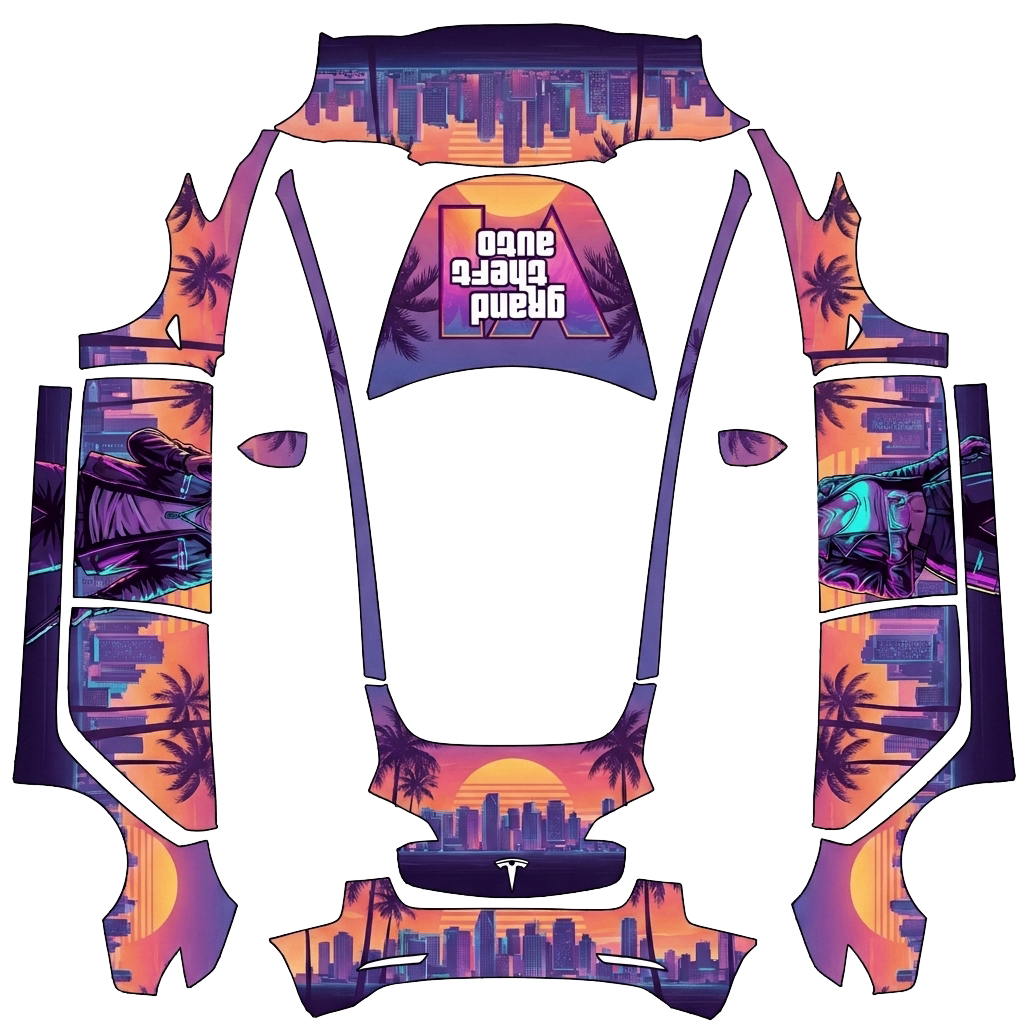
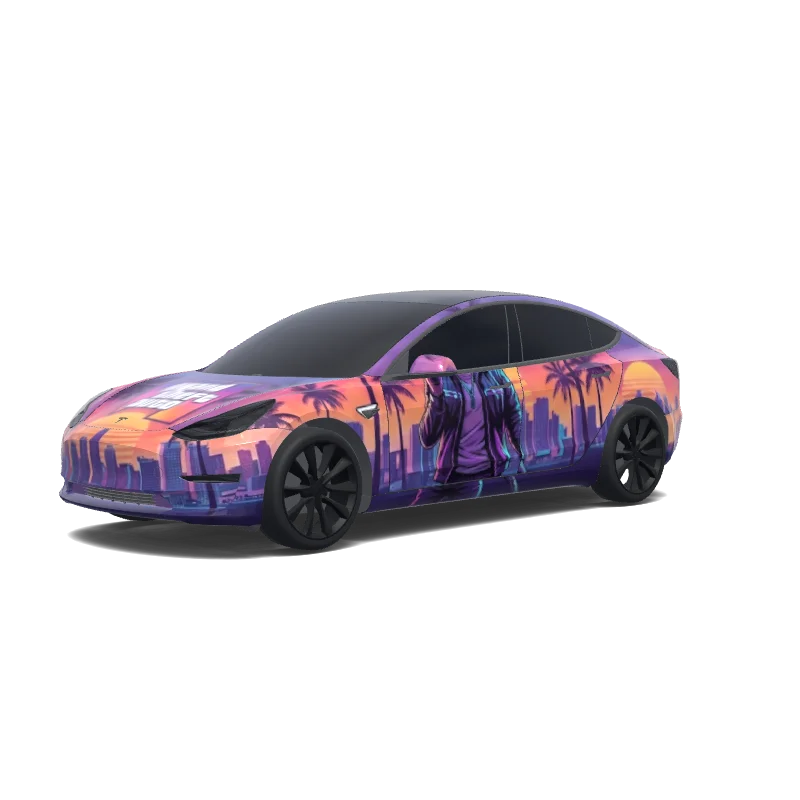
“Use this design to create a Grand Theft Auto 6 rap. The palm trees and City skyline need to remain a part of the design however please make the hood the logo and the logo should be upside down so that it appears right side up when facing the front of the car. Please pull design elements from the characters Jason and Lucia from the game and have them on the doors with Jason on one side like the driver side and Lucia on the passenger side. Make sure to have their head. in view.”
 Designed byCameron Butron
Public gallery design. Report
This is the downloadable flat wrap PNG prepared for Tesla Paint Shop. The car render above shows how it looks once applied; this template is what you copy to a USB stick or load into the editor.
The design covers the full body, so every panel of your Model 3 is mapped. Open the image to inspect the artwork and panel placement at full size.
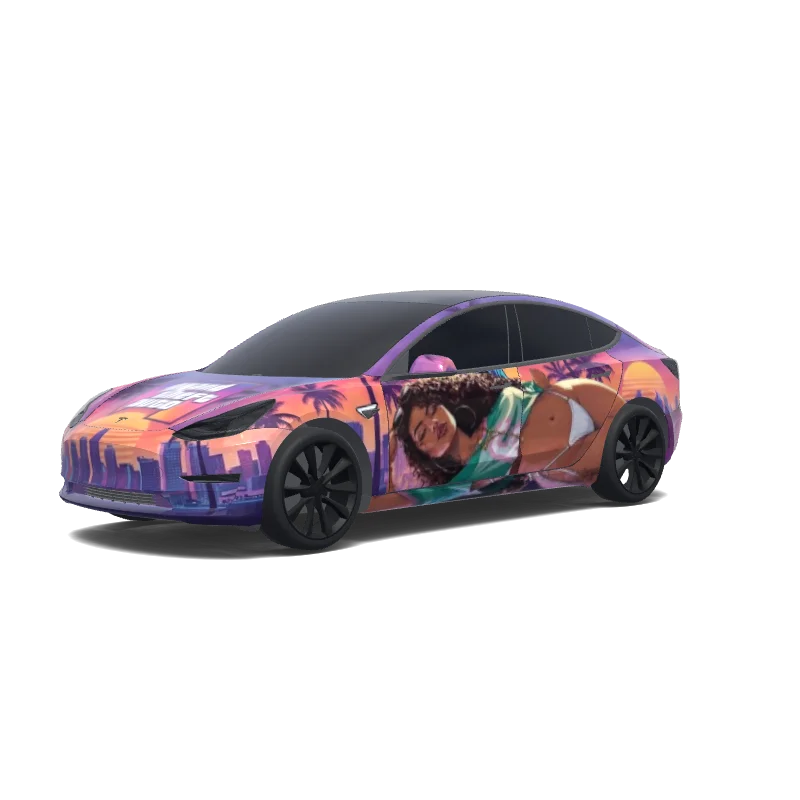
A synthwave sunset in purple, pink and orange wraps this Model 3, with palm-tree silhouettes and a neon city skyline running along the lower body from bumper to bumper. The Grand Theft Auto logo sits on the hood, set to read right side up when you face the car, and stylized character art fills the front doors. It is a full-coverage, poster-style take on the GTA 6 Vice City mood, made to be seen from the side. It is completely free to download as a 1024×1024 PNG in the exact format Tesla Paint Shop expects — no account required. So far it has earned 11 downloads from the community. Download it for your Model 3, open it in the free wrap editor to customize colors and add text, or use it as inspiration for your own Tesla wrap.
Full Paint Shop guide: App upload, USB, file size and orientation
Yes. This Model 3 wrap is completely free to download as a PNG, with no account or payment required.
It downloads as a 1024×1024 pixel PNG no larger than 1 MB. Tesla accepts PNGs from 512×512 through 1024×1024 pixels, with the template size recommended.
Download the PNG, then use Tesla App v4.59.0 or later at Creations → Wrap → Upload. As a USB fallback, put it in a root-level "Wraps" folder, connect the drive to your Model 3, and open Toybox → Paint Shop → Wraps.
Yes. Open it in the free Model 3 wrap editor to change colors, add text or images, and export your own PNG.