AI wrap generator
AI Model Y Juniper (2025+) Premium wrap generator
Describe the look you want in one sentence. AI paints it on the official Paint Shop template for your exact Tesla, and you see it on a live 3D car before you download the PNG.
Live 3D preview: Model Y (2025+) Premium
Try an idea
AI wraps may appear in the public gallery after review. If you have bought credits, you can keep a generation private from the designer.
How the AI wrap generator works
- 1
Pick your Tesla. Choose the exact model and year. Each one has its own Paint Shop template, so a Model Y design won't fit a Model 3.
- 2
Describe the wrap. Write one sentence about colors, patterns and finish, or start from an idea below.
- 3
Generate and check it in 3D. AI paints the design on the official template and the result appears on the 3D car.
- 4
Download the PNG. Export the Paint Shop-ready PNG, or open it in the designer to fix details by hand.
- 5
Load it in your car. Upload it in the Tesla app (Creations → Wrap → Upload) or from a USB Wraps folder, then pick it in Toybox → Paint Shop.
Prompt ideas that work
Short prompts with clear colors and one main idea work best. Click any idea above to try it.
- Matte black with thin gold pinstripes along the sides
- Glossy white with a bold red racing stripe over the hood and roof
- Deep ocean blue fading to teal, with subtle wave lines
- Digital camouflage in grey, black and white
- Retro 80s sunset gradient with neon grid lines
- Satin carbon-fiber texture with a red accent line
- Pastel pink with small white cherry blossoms
- Orange Halloween pumpkins and black bats on a purple night sky
Tips for better results
- Name the colors and the finish: matte, gloss, satin or chrome.
- Keep one main idea. Several unrelated themes usually look busy on a small screen.
- Judge the result on the 3D car, not the flat template; panels that look odd flat often look right on the car.
- Big shapes read better on the touchscreen than fine detail or small text.
- Want a logo or text exactly in place? Generate the base, then add it in the designer.
What it costs
Each text generation uses 10 credits from a one-time pack; credits never expire. Designing by hand in the editor, previewing in 3D and exporting PNGs are free.
More ways to make a wrap
Community Model Y Juniper (2025+) Premium wraps
See all Model Y Juniper (2025+) Premium wrapsThe Model Y Juniper (2025+) Premium Paint Shop template. Tesla's official template for this car is 1024×1024 pixels. Keep that size when you export, and stay under 1 MB.
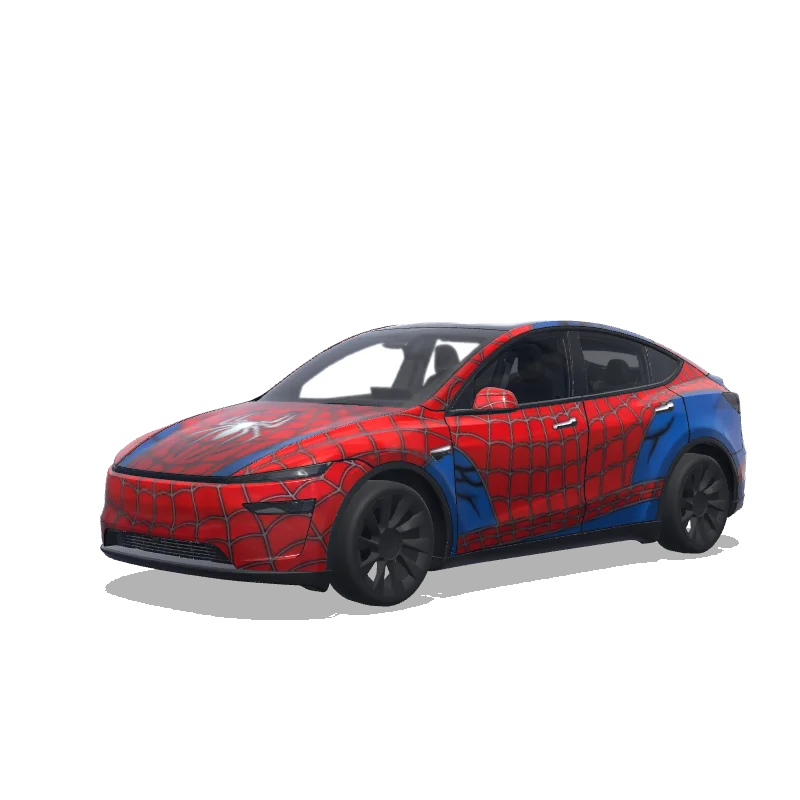
Spider-Man Tesla Model Y (2025+) Premium wrap PNG
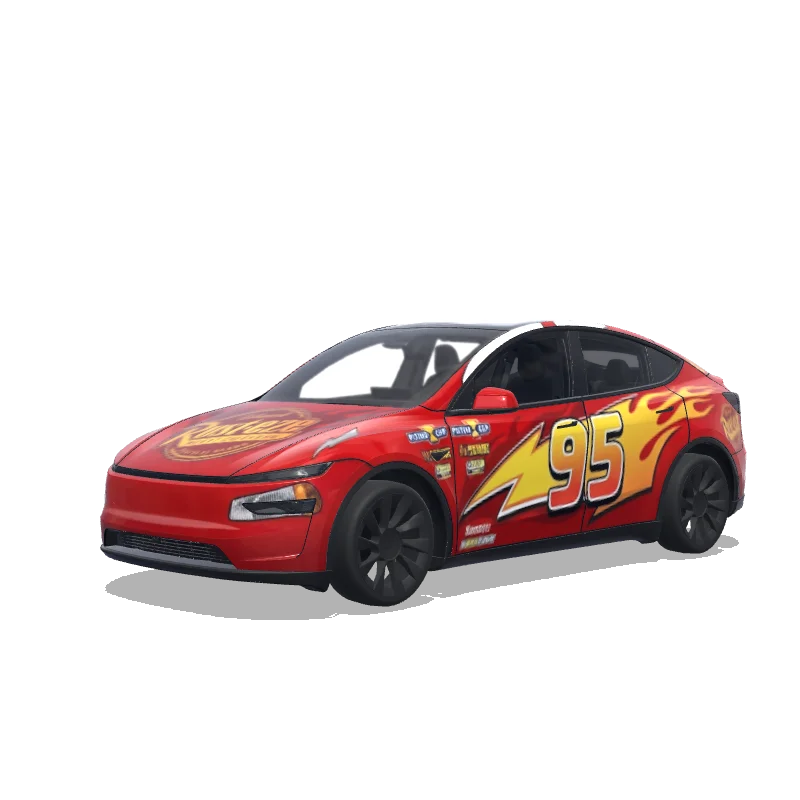
Disney Cars Lightning McQueen Tesla Model Y (2025+) Premium wrap PNG
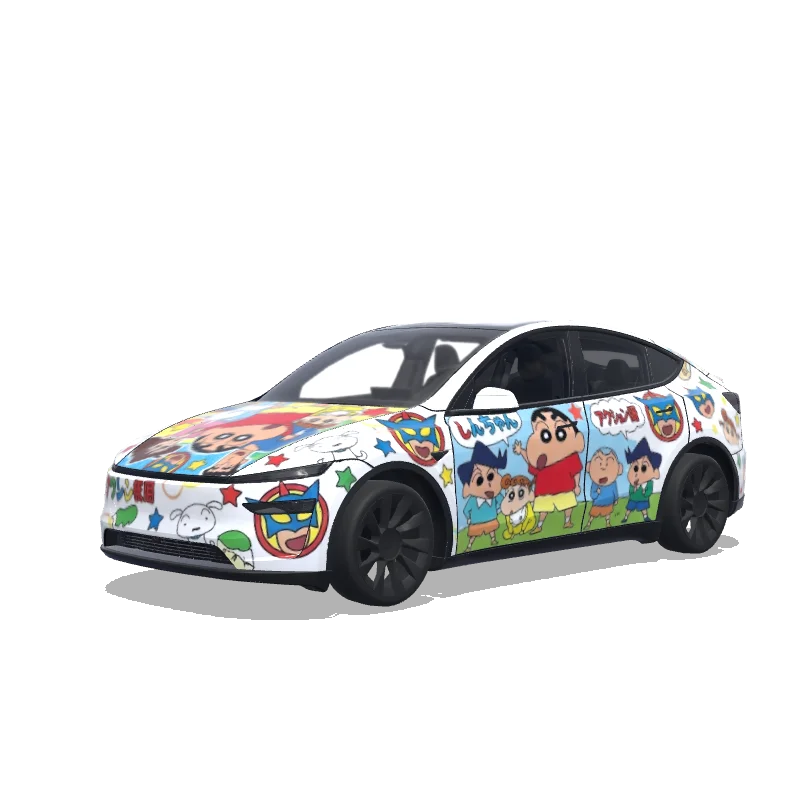
Crayon Shin-Chan Cartoon Tesla Model Y (2025+) Premium wrap PNG
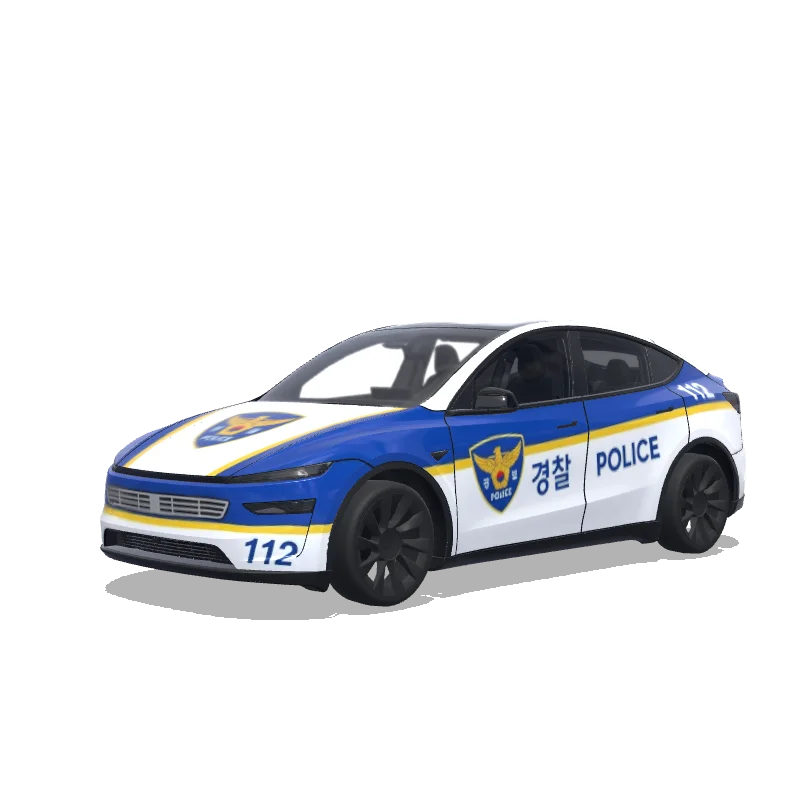
Korean Police Blue Stripes Tesla Model Y (2025+) Premium wrap PNG
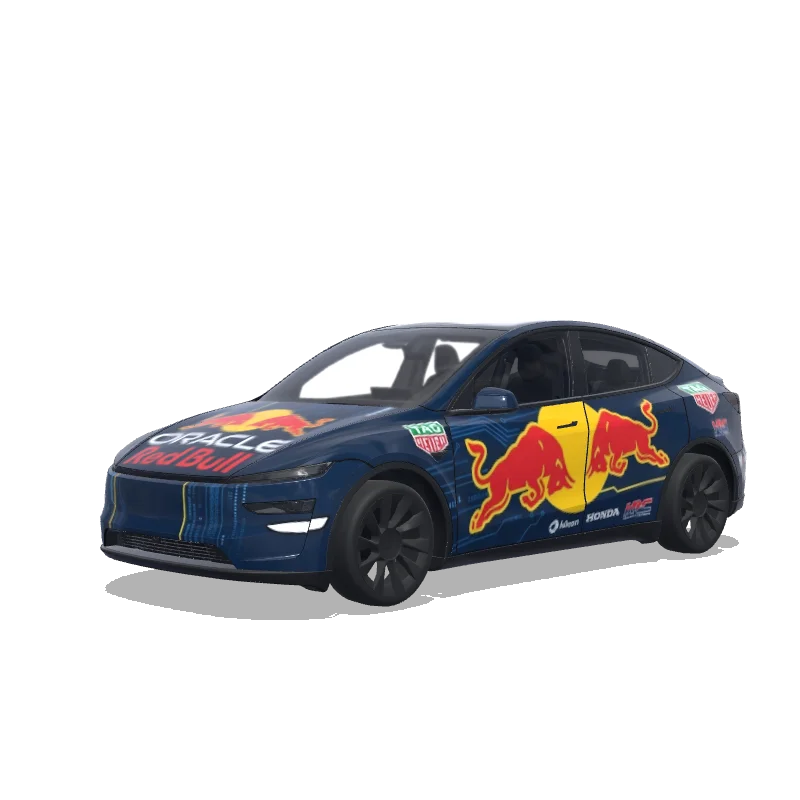
Red Bull Oracle F1 Tesla Model Y (2025+) Premium wrap PNG
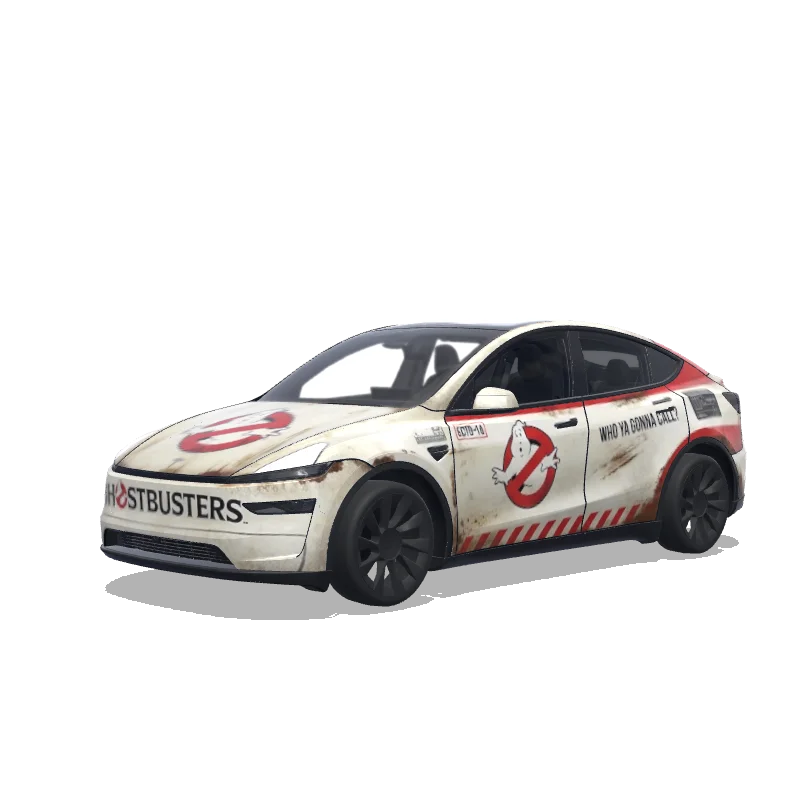
Ghostbusters Ecto-1 Tesla Model Y (2025+) Premium wrap PNG
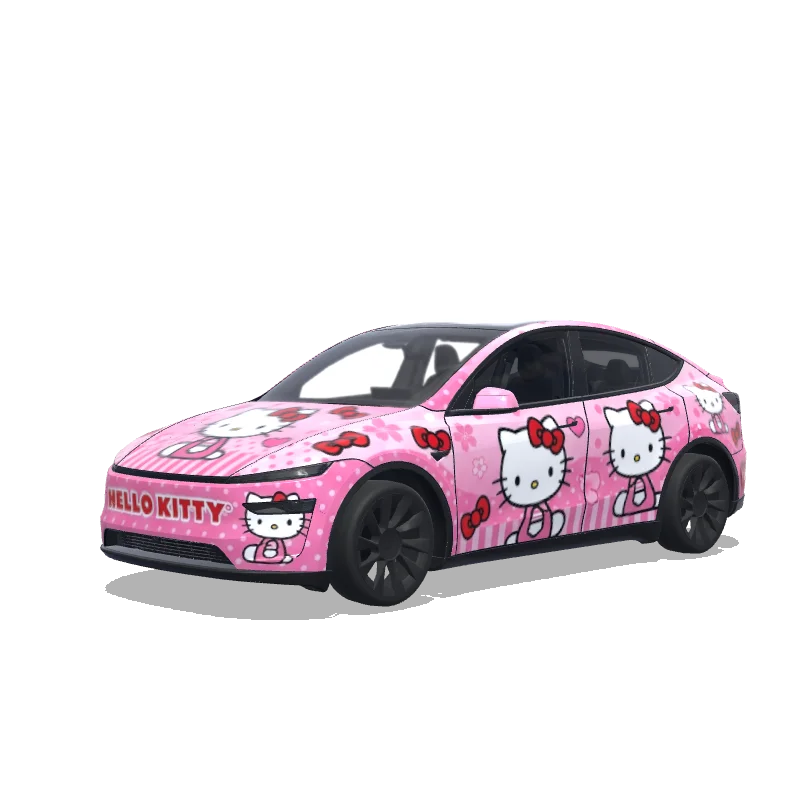
Hello Kitty Pink Theme Tesla Model Y (2025+) Premium wrap PNG
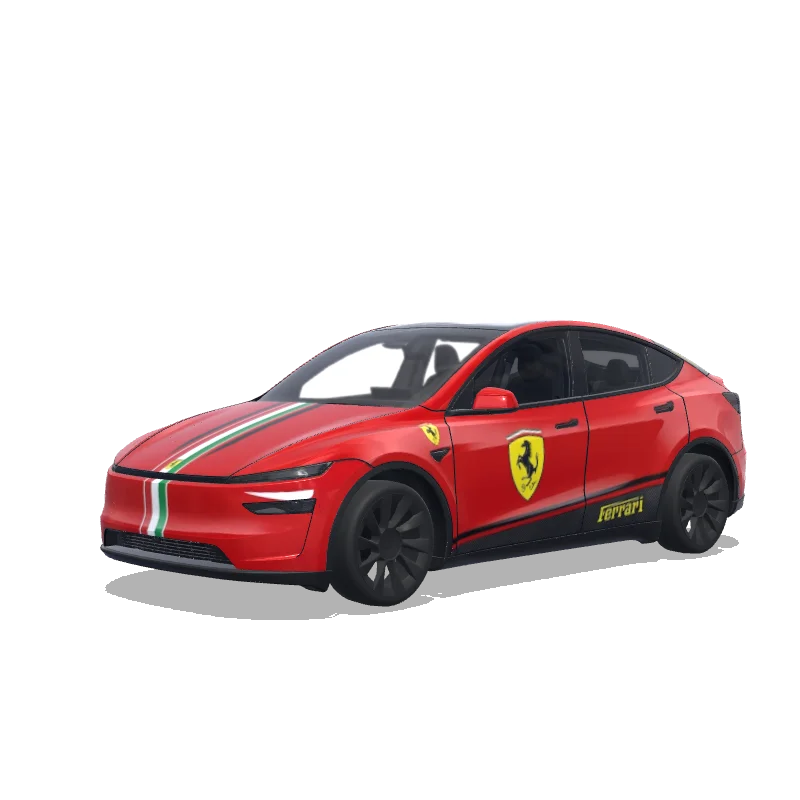
Ferrari Rosso Corsa Tesla Model Y (2025+) Premium wrap PNG
AI wrap generator FAQ
Is the AI Tesla wrap generator free?
Generating uses credits: 10 per wrap from a one-time pack. Designing by hand, the 3D preview and PNG export are free.
Which Teslas does it support?
Model 3 (original and 2024+ Highland), Model Y (original, 2025+ Juniper and Model Y L), Cybertruck, Model S and Model X, each on its own official Paint Shop template.
Will the wrap fit my car?
Yes, if you pick the right model and year. The AI paints on that model's official template, and you can check every panel on the 3D car before downloading.
How do I put the wrap on my Tesla?
Download the PNG, then upload it in the Tesla app under Creations → Wrap → Upload or copy it to a Wraps folder on a USB drive, and choose it in Toybox → Paint Shop.
Does this change my car's real paint?
No. Paint Shop wraps only change how the car looks on the touchscreen and in the Tesla app.
Can I edit the AI result?
Yes. Open it in the designer to repaint areas, add text or images, then export again.