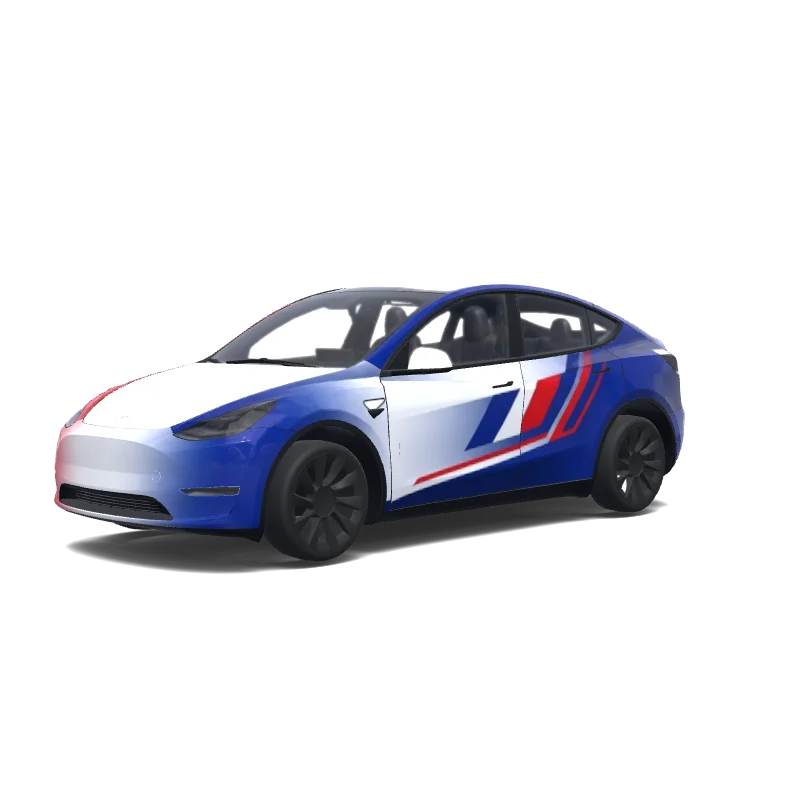
Is this Model Y wrap free to download?
Yes. This Model Y wrap is completely free to download as a PNG, with no account or payment required.
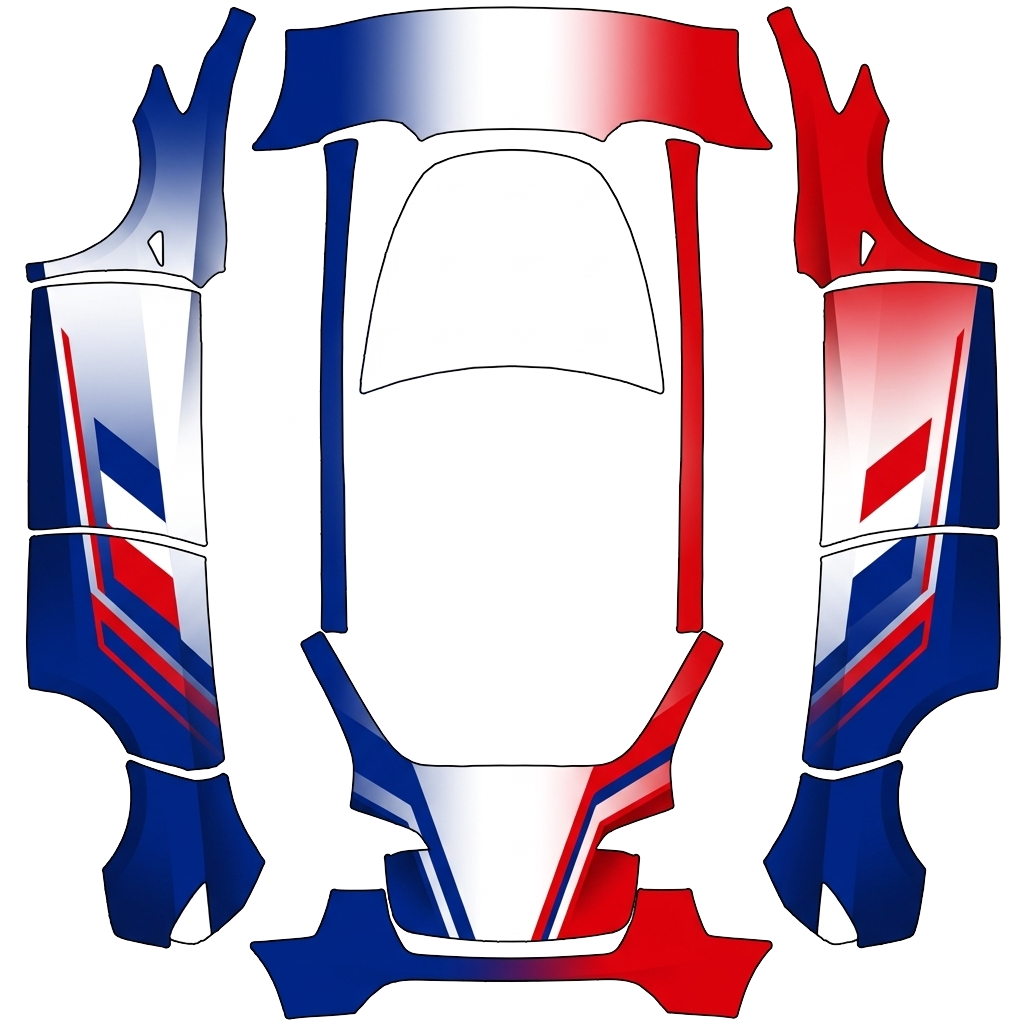
“covering completely de la carosserie couleurs principales bleues profond blanc et rouge vif, inspiré du drapeau français style pretium moderne sportif et dynamique. Bleu profond dominant sur la partie arrière et flanc blanc utilisé comme couleur de transition et pour créer des zones de respiration, rouge vif graphique précises et dynamiques, créer un dégradé subtil entre les 3 pluton que 3 bandes parfaites. Sur les côté, des éléments tricolore français. Colors: red, white, blue.”
 Designed byAntoine Toffin
This is the downloadable flat wrap PNG prepared for Tesla Paint Shop. The car render above shows how it looks once applied; this template is what you copy to a USB stick or load into the editor.
The design covers the full body, so every panel of your Model Y is mapped. Open the image to inspect the artwork and panel placement at full size.
French Tricolor Blue White Red Tesla Model Y wrap PNG is a custom wrap design for the Tesla Model Y, ready to upload with the Tesla App or apply through Tesla Toybox Paint Shop with USB. It was generated on Tesla Wrap Designer from the prompt “covering completely de la carosserie couleurs principales bleues profond blanc et rouge vif, inspiré du drapeau français style pretium mode…”. It is completely free to download as a 1024×1024 PNG in the exact format Tesla Paint Shop expects — no account required. So far it has earned 10 downloads from the community. Download it for your Model Y, open it in the free wrap editor to customize colors and add text, or use it as inspiration for your own Tesla wrap.
Full Paint Shop guide: App upload, USB, file size and orientation
Yes. This Model Y wrap is completely free to download as a PNG, with no account or payment required.
It downloads as a 1024×1024 pixel PNG no larger than 1 MB. Tesla accepts PNGs from 512×512 through 1024×1024 pixels, with the template size recommended.
Download the PNG, then use Tesla App v4.59.0 or later at Creations → Wrap → Upload. As a USB fallback, put it in a root-level "Wraps" folder, connect the drive to your Model Y, and open Toybox → Paint Shop → Wraps.
Yes. Open it in the free Model Y wrap editor to change colors, add text or images, and export your own PNG.