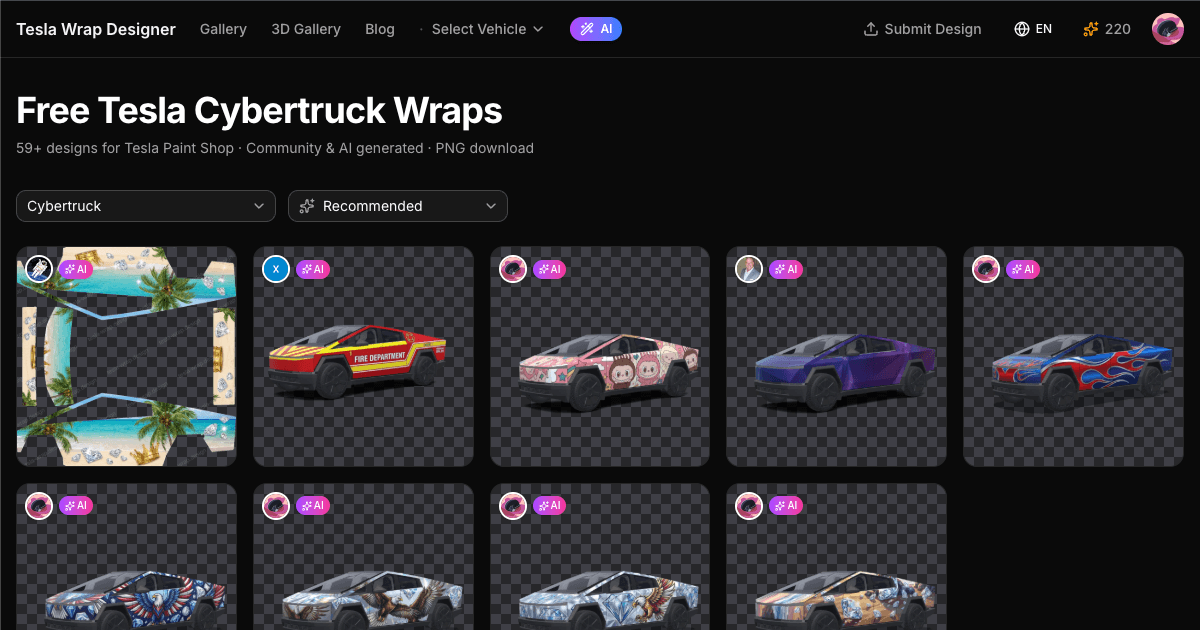
Here's something most people don't realize about the Cybertruck: its angular, flat-panel design isn't just a style choice — it makes UV mapping almost trivially simple. Where curved models like the Model S have significant distortion in the UV template (a circle on the template becomes an oval on the car), the Cybertruck's flat surfaces mean what you see in the editor is almost exactly what you get on the vehicle.
This makes the Cybertruck the best Tesla to start with if you've never designed a wrap before.
The Cybertruck Template Explained
The Cybertruck UV template maps to five main zones:
- Front fascia — The pointed nose and light bar. Small area, but high visibility. A lot of designers put their main graphic here.
- Side panels — Two massive flat rectangles. This is where you have the most creative freedom. Racing numbers, full-body illustrations, or clean color blocks all work well here.
- Rear tailgate — The single largest flat surface on any Tesla. Perfect for big logos, landscape scenes, or bold text.
- Roof — Often forgotten, but visible from parking garages and drone shots. Some designers put hidden easter eggs here.
- Bed panels — The truck bed sides. Completing these makes a full wrap look finished rather than half-done.
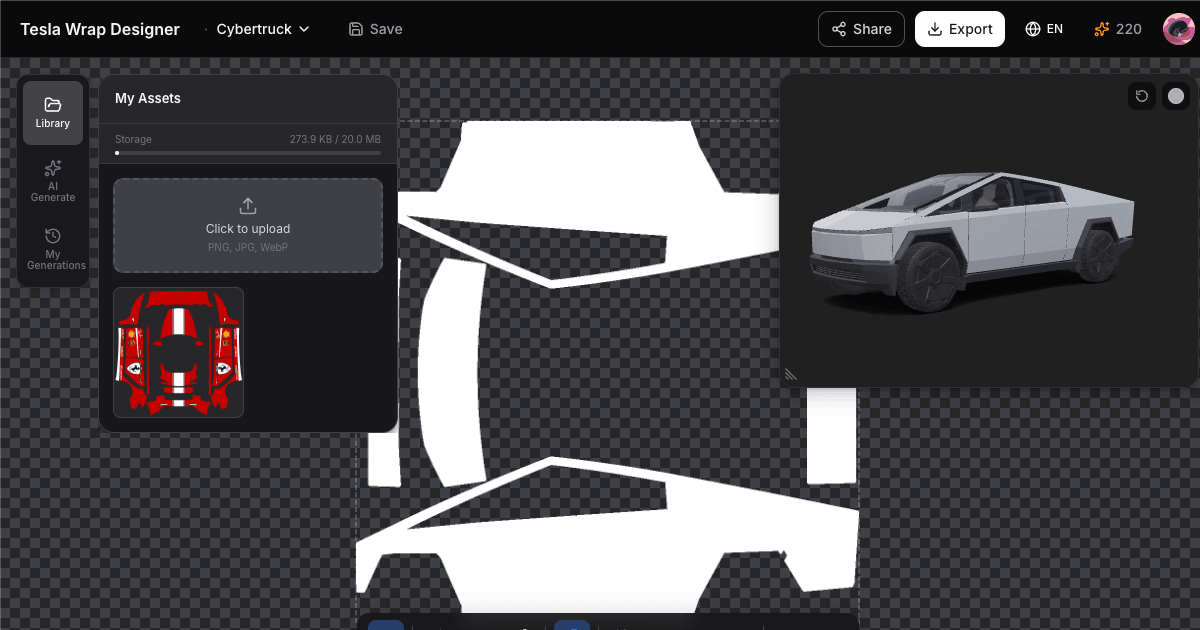
Open the Cybertruck editor to see the template →
What Works on the Cybertruck
After seeing hundreds of Cybertruck wraps come through our gallery, some clear patterns emerge:
Military & Tactical — The Obvious Choice
Desert camo, woodland patterns, urban grey camo. The Cybertruck already looks like it belongs in a sci-fi military fleet, so tactical wraps feel natural rather than forced. Matte olive drab is probably the single most downloaded Cybertruck wrap color.
Geometric & Angular Patterns
Designs that echo the Cybertruck's own angular language look cohesive. Think sharp triangles, hexagonal meshes, faceted crystal patterns. Avoid organic, flowing curves — they clash with the truck's DNA.
Sci-Fi & Cyberpunk
Tron-style light lines along the edges, Halo-inspired armor plating, Blade Runner neon accents. The Cybertruck is already the most futuristic production vehicle on the road, so leaning into that aesthetic works incredibly well.
Matte Color Changes
The bare stainless steel is iconic, but a lot of owners want something different on the display. Matte black is the #1 choice, followed by army green and gunmetal grey. These simple wraps are also the easiest to design — just a solid color fill on the template.
Design Tips Specific to Cybertruck
- Work with the angles, not against them. The body has sharp creases and fold lines. Designs that align with these creases look intentional. Designs that cross them at random angles look accidental.
- High contrast is your friend. The touchscreen display compresses dynamic range. Bold, high-contrast designs read better than subtle gradients on the Cybertruck's large flat panels.
- Don't forget the bed. A wrap that covers the cab but leaves the bed bare looks unfinished. Even a simple color match for the bed panels makes a huge difference.
- The light bar area is tricky. The front light bar sits in a recessed area of the template. Designs that account for this look polished; designs that ignore it have a visible seam.
How to Apply
Download from our Cybertruck gallery or design your own, then load the PNG via USB. The whole process takes under 5 minutes — see our complete guide for step-by-step instructions.
Since it's digital, you can swap wraps as often as you want — tactical camo for the trail, clean matte black for the city.