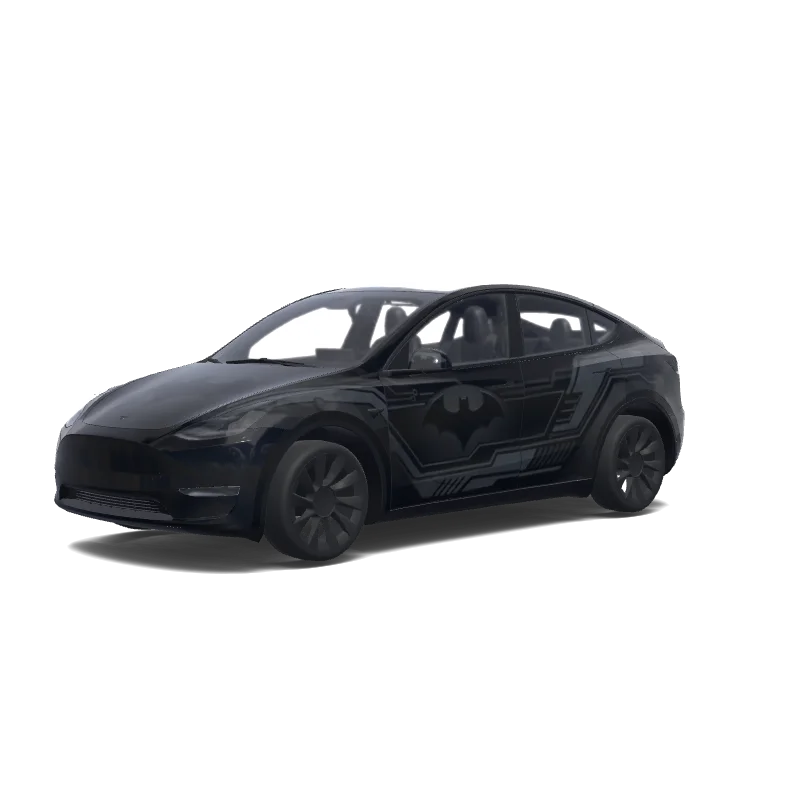
Is this Model Y wrap free to download?
Yes. This Model Y wrap is completely free to download as a PNG, with no account or payment required.
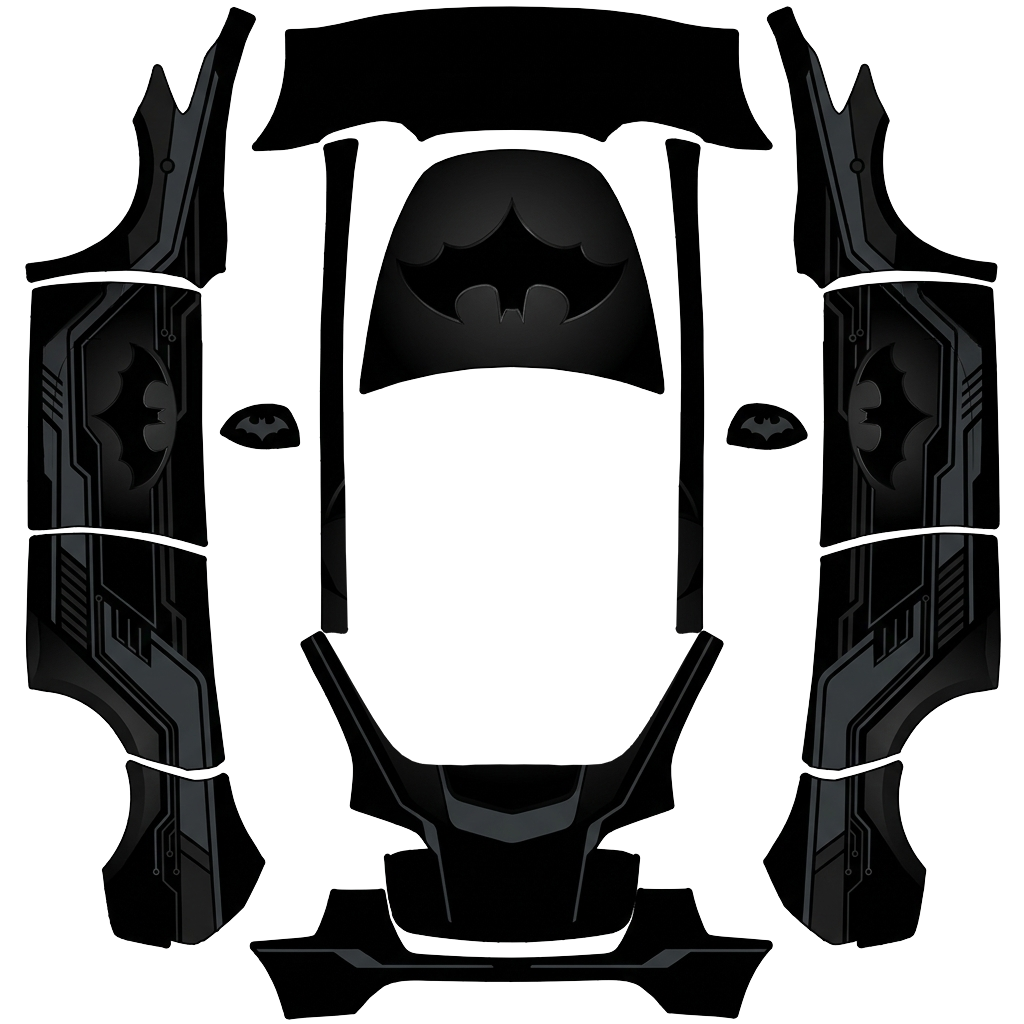
“Erstelle eine hochwertige Batman-Folierung für das gesamte Tesla Model Y. Das Fahrzeug soll als Grundfarbe tiefes MATTSCHWARZ haben. Auf der Motorhaube muss ein großes, deutlich sichtbares BATMAN-LOGO mit der typischen Fledermaus-Silhouette platziert werden. Das Batman-Logo darf auf keinen Fall fehlen. Design: * Grundfarbe: Mattschwarz * Großes Batman-Fledermaus-Logo auf der Motorhaube * Weitere kleinere Fledermaus-Logos passend auf den Seiten * Dunkelgraue/anthrazitfarbene grafische Akzente.”
This is the downloadable flat wrap PNG prepared for Tesla Paint Shop. The car render above shows how it looks once applied; this template is what you copy to a USB stick or load into the editor.
The design covers the full body, so every panel of your Model Y is mapped. Open the image to inspect the artwork and panel placement at full size.
Batman Tesla Model Y wrap PNG is a custom wrap design for the Tesla Model Y, ready to upload with the Tesla App or apply through Tesla Toybox Paint Shop with USB. It was generated on Tesla Wrap Designer from the prompt “Erstelle eine hochwertige Batman-Folierung für das gesamte Tesla Model Y. Das Fahrzeug soll als Grundfarbe tiefes MATTSCHWARZ haben. Auf de…”. It is completely free to download as a 1024×1024 PNG in the exact format Tesla Paint Shop expects — no account required. So far it has earned 244 downloads from the community. Download it for your Model Y, open it in the free wrap editor to customize colors and add text, or use it as inspiration for your own Tesla wrap.
Full Paint Shop guide: App upload, USB, file size and orientation
Yes. This Model Y wrap is completely free to download as a PNG, with no account or payment required.
It downloads as a 1024×1024 pixel PNG no larger than 1 MB. Tesla accepts PNGs from 512×512 through 1024×1024 pixels, with the template size recommended.
Download the PNG, then use Tesla App v4.59.0 or later at Creations → Wrap → Upload. As a USB fallback, put it in a root-level "Wraps" folder, connect the drive to your Model Y, and open Toybox → Paint Shop → Wraps.
Yes. Open it in the free Model Y wrap editor to change colors, add text or images, and export your own PNG.